

- Spot the scam: 7 tricks to watch for between Black Friday and Christmas
 The weeks between Black Friday and Christmas are the busiest of the year for online shopping, parcel deliveries and end-of-year payments. They are also...
- What is SharePoint? A simple guide for small businesses
 SharePoint is Microsoft’s place for storing, sharing and working on your business’s files. Think of it as your company’s shared drive, but in the...
- What happens when you switch your IT support to Synium
 Changing IT support provider can feel like a big job. Most businesses we speak to worry about the same things: disruption to staff, an...
- 10 Outlook tips that save you time every day
 Most of us spend a good chunk of every working day in Outlook. These 10 simple Outlook tips will help you win back some of that time.

Educate Your Staff
Your staff are often the last line of defence against Cyber Threat - the better educated they are the safer you will be.
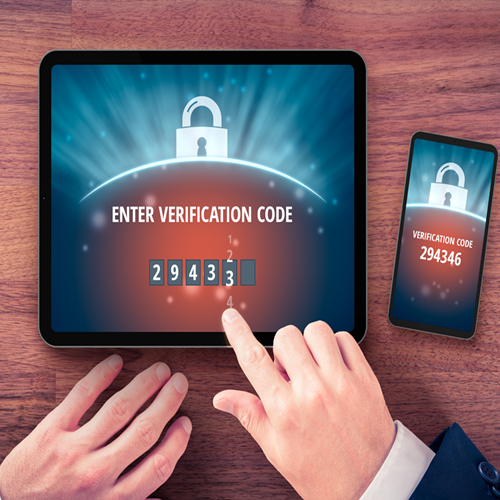
Multi-Factor Authentication
On Everything ! Enforce MFA on all your cloud systems (and any in house too)

Endpoint Protection
Optimize the security on your computers with next generation Endpoint Protection (Anti-Virus on steroids)
Update your Software
Cyber criminals target out-of-date software and Operating Systems - it is imperative you keep everything up to date.
Backup your Data
Ensure all your key data is backed up - including Microsoft 365 data (Emails, OneDrive, Sharepoint)
Secure Email Protection
90% of Cyber attacks start with an email - stop the threat by having Email Anti-Malware and Anti-Spam filtering in place

Do Not Use Admin accounts
If a hacker gets on your laptop and has Administrator access the damage could be significantly worse

Web & DNS Filtering
Web filtering can prevent Malware from accessing the malicious sites they attempt to connect you with

Encrypt your Laptops
Ensure your Laptop hard disks are encrypted to be sure of no data loss if every they are stolen.
365 Security & Monitoring
Get notified of suspicious activity on your Microsoft 365 environment. This is such a critical system - guard it well.
Cyber defence is a multi-layered approach.
Even with the Essential measures we have listed above, you must be aware the threat from Cyber criminals is ever increasing. To stay one step ahead, you would be wise to consider other measures that will enhance your safety.
…and for enhanced defences:
Cyber Essentials
Gaining Cyber Essentials accreditation symbolises your commitment to your business' safety (and is easy with the 10 Essentials in place)
Read MoreCyber Insurance
Having cyber insurance in place can cover you for any costs incurred with a successful cyber attack
Read MoreSecure your Mobile Devices
Mobile Device Management allows you to secure your phones and tablets - preventing data loss from your mobile devices.
Log in to Azure
Azure Active Directory can provide a whole array of additional security features for your users and devices.
Use a Password Manager
Using different and complex passwords for all the systems that you access is hard - let a Password Manager handle it for you.
Call us on 0121 663 0203 or email hello@synium.co.uk