






19 May Microsoft Teams: So Much More Than Just Video Calls
If you think Microsoft Teams is just for video meetings, you’re not alone — but you’re also missing out – there is so much more to it.
If you are using Microsoft 365 (as many businesses are) then you have access to use Teams and all its additional features.
Here’s a look at what Microsoft Teams can offer your business — and how it can help you work smarter, stay organised, and support a flexible team.
Chat – Use Teams instead of Outlook for internal communication
Quick questions, file sharing, group conversations — it’s all easier in Teams chat. It’s like WhatsApp, but secure, professional, and built for business. This is also very useful when staff are working remotely. Also – staff can use Teams on their mobile phones, so it gives them access to the Chat wherever they need.
Channels – Keep every project organised
Set up dedicated channels for teams, projects, or departments. Everything related to that topic — chats, files, meetings — stays in one tidy place.
Video Meetings – Meet from anywhere
Instant video meetings or scheduled calls, complete with screen sharing, background blur, and recording. Great for remote or hybrid working.
File Collaboration – Work on documents together
Teams integrates with SharePoint and OneDrive, so your team can co-edit Word, Excel, or PowerPoint files in real-time — no email attachments needed.
Notifications – Stay in the loop, and just get the notifications you need
Get notified only about what matters. You can mute channels, follow key conversations, and keep distractions to a minimum.
Telephony – Use Teams as your phone system
Did you know Teams can also replace your desk phones? Make and receive calls on any device using your business number — no extra apps needed. Read more here.
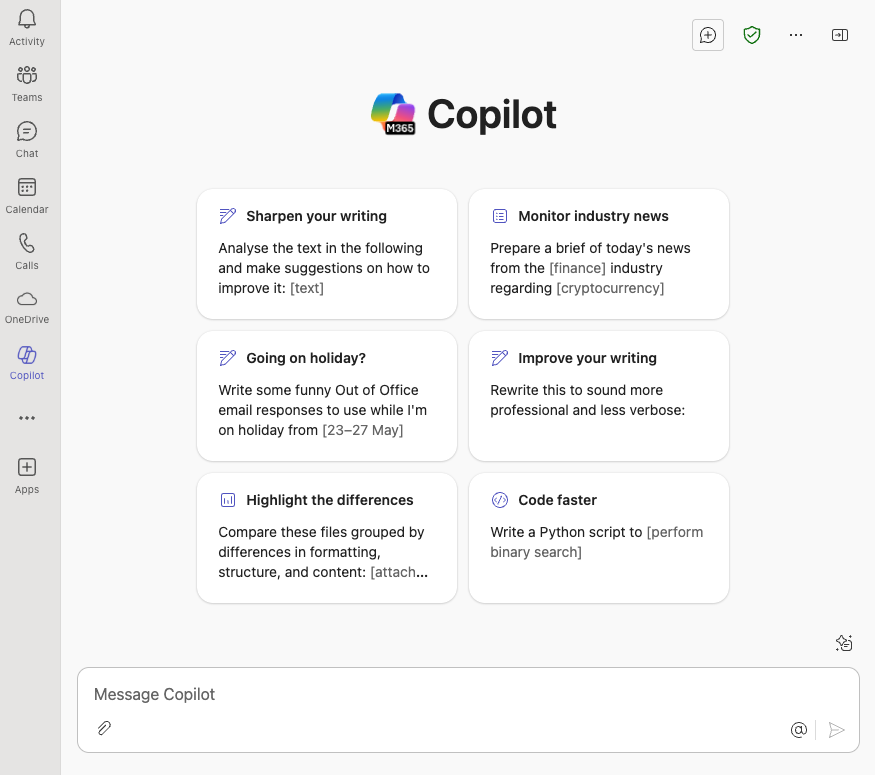
Ai – Access CoPilot
Teams has had a recent update that now easily integrates Microsoft’s AI directly.
App Integrations – Connect the tools you already use
Link Teams with tools like Trello, CRM systems, or even your ticketing platform. Bring your workflows into one place and cut down the tab-switching.
Security – Built on Microsoft’s trusted platform
With enterprise-grade security and compliance, Teams gives you peace of mind that your data and conversations are protected.
Why Small Businesses Love Microsoft Teams
- It’s included in Microsoft 365 — no extra cost if you already have the licence
- It supports flexible working — ideal for teams on the move or working from home
- It makes your business look professional — smart comms, easy file sharing, reliable meetings
Want to Get More Out of Microsoft Teams?
If your business is only scratching the surface of what Teams can do, we can help. From setup and licensing to phone system integration, Synium makes Teams work for your business — not the other way around.
If you want to learn more about how to get more from your 365 subscription, get in touch, we’d be happy to help.
